Can You Add a Visa Gift Card to Apple Pay?
Can you add a Visa gift card to Apple Pay? Sometimes. Here's exactly when it works, how to add one step by step, why cards get rejected, and what to do instead.
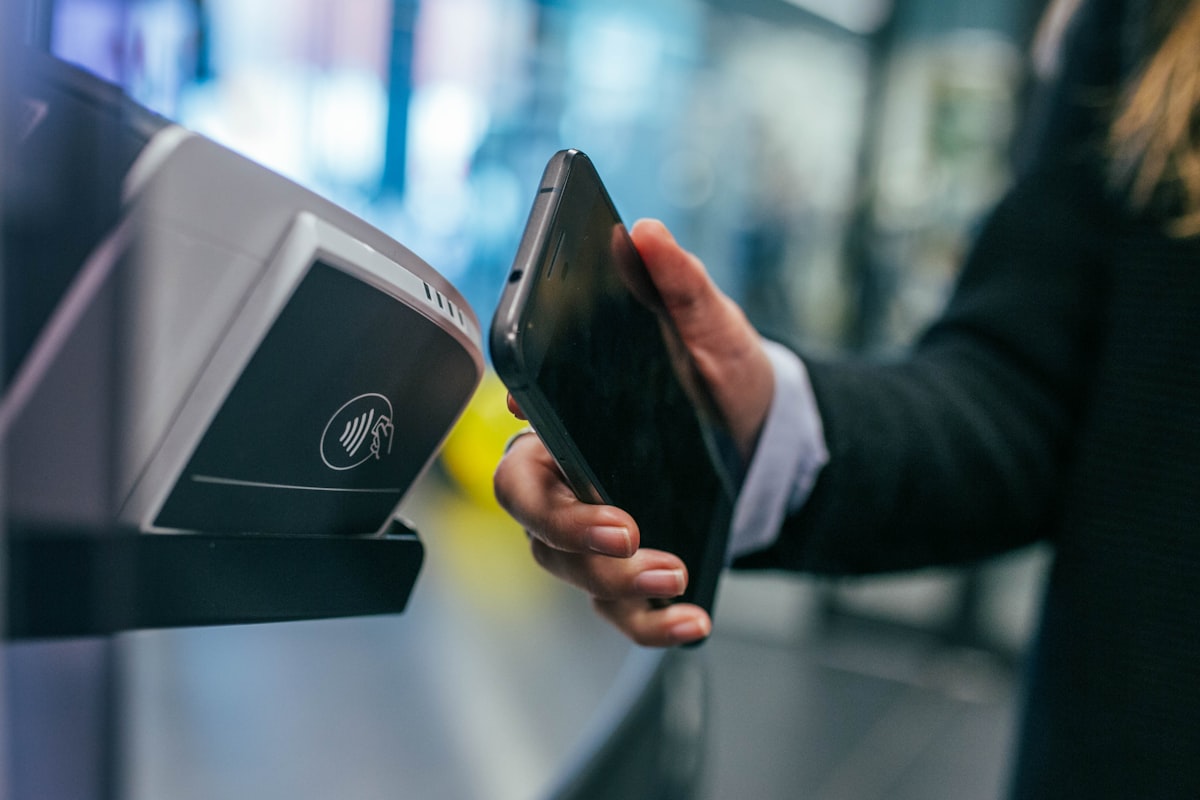
You've got a shiny new Visa gift card, and you'd love to tuck it into your iPhone so you can tap to pay like you do with every other card. It's a reasonable hope — gift cards are one of the most popular presents around, perfect for everything from birthday gift ideas to last-minute Christmas gift ideas. But the honest answer to whether you can add a Visa gift card to Apple Pay is a slightly frustrating: it depends.
The good news is that the rules aren't random. Once you understand what Apple Pay needs from a card, you can tell fairly quickly whether yours will work — and exactly what to do if it doesn't. This guide walks through how it works, the step-by-step process, the most common reasons cards get rejected, and the simplest alternatives so the balance never goes to waste.
How does Apple Pay work?
Apple Pay stores a digital version of your card in the Wallet app and lets you pay by holding your iPhone or Apple Watch near a contactless reader. Crucially, it doesn't hand the merchant your actual card number. Instead, it creates a unique 'token' — a device-specific number — and uses a one-time code for each transaction. That's why Apple Pay is generally more private than swiping a physical card.
To set that up, Apple needs to verify the card with the bank or issuer behind it. For everyday debit and credit cards, that handshake is instant. For prepaid Visa gift cards, it only works if the issuer participates in Apple Pay and the card carries the billing details Apple needs to confirm ownership.
This token system is also why not every card qualifies. Apple Pay has to coordinate with the card's issuing bank to create that token, and prepaid gift-card programs are run by a patchwork of different issuers. Some have built the behind-the-scenes support for mobile wallets; many — especially the inexpensive cards hanging on a supermarket rack — never have. So when a card is rejected, the limitation almost always sits with the issuer, not with your iPhone or with Apple Pay itself.
Can you add a Visa gift card to Apple Pay?
You can add a Visa gift card to Apple Pay only when two things are true: the issuer allows its cards to be loaded into mobile wallets, and the card is registered with your name and billing ZIP code. Reloadable, bank-issued prepaid Visa cards often qualify. Many one-time gift cards — the kind you grab off a rack at the supermarket — do not, because their issuers simply don't support mobile wallets.
Because there's no single rule across every brand, the quickest way to know is to try adding it (after registering) and see whether Apple Pay accepts it. The table below summarises the scenarios we see most often.
It helps to set expectations before you start. A one-time Visa gift card bought as a present is less likely to work than a reloadable prepaid account from a major bank. That doesn't make the gift card any less valuable — it simply means the way you spend it may look a little different from a normal debit card, leaning on the card number rather than a tap.
| Scenario | Works with Apple Pay? | Notes |
|---|---|---|
| Bank-issued reloadable prepaid Visa | Usually yes | Register your details first |
| Standard one-time Visa gift card | Often no | Many issuers block mobile wallets |
| Vanilla Visa gift card | Frequently no | Commonly reported as unsupported |
| Card registered with name + ZIP | Sometimes | Improves your odds, not guaranteed |
| Using the card number online | Yes | Works anywhere Visa is accepted online |
How to add a Visa gift card to Apple Pay (step by step)
If you'd like to try, follow this checklist in order. Registering the card first is the single biggest factor in whether it will be accepted.
- Activate and register your Visa gift card on the issuer's website, adding your name and billing ZIP code.
- Open the Wallet app on your iPhone and tap the + button in the top corner.
- Choose 'Debit or Credit Card', then scan the card or enter the details manually.
- Type in the 16-digit card number, expiry date and CVV security code.
- Enter the billing ZIP code you registered with the card.
- Wait for verification — if the issuer supports it, the card is added; if not, you'll see an error.
If the card is accepted, it appears in Wallet alongside your other cards, ready to tap. If it's rejected, the error usually shows within a few seconds. Either way, you haven't done anything wrong, and the balance is completely unaffected — a failed Apple Pay attempt never moves any money.
Why won't my Visa gift card add to Apple Pay?
If Apple Pay refuses your card, it's almost always one of these reasons — not a fault with your phone.
- The issuer doesn't support mobile wallets for that card (the most common reason).
- The card hasn't been activated or registered yet.
- No billing address or ZIP code is linked to the card.
- The balance is too low for Apple to complete a verification check.
- It's a single-use or merchant-restricted card that can't be tokenised.
Common errors and how to fix them
Here are the messages you're most likely to see while adding a card — and the fastest fix for each.
| Message | Likely cause | What to do |
|---|---|---|
| Card Not Added | Issuer blocks mobile wallets | Use the card online or in-store instead |
| Could Not Add Card | Card not registered / wrong ZIP | Register the card, then retry |
| Card Declined (at checkout) | Low balance or no billing address | Check the balance and add a billing ZIP |
| Invalid Card | Card not activated | Activate it on the issuer's site, then retry |
Do you need to register your Visa gift card first?
In most cases, yes. Registering links a name and billing ZIP code to the card, which is exactly what Apple Pay (and most online checkouts) use to verify you. It only takes a couple of minutes.
Registration matters beyond Apple Pay, too. Most online retailers run an Address Verification System (AVS) check at checkout, comparing the ZIP code you enter with the one on file for the card. An unregistered gift card has no ZIP on file, which is why online orders sometimes fail even when there's plenty of balance left on the card.
- Visit the website printed on the back of your gift card.
- Enter the card number and activate it if it isn't already.
- Add your name, address and ZIP code.
- Save — this billing information is what Apple Pay and online stores check against.
Security and privacy tips
Gift cards behave a lot like cash, so a few smart habits keep your balance safe.
It's also worth checking your balance regularly as you spend the card down. Unlike a bank account, a gift card won't send you alerts, and temporary 'pre-authorisation' holds from places like petrol stations or hotels can briefly tie up more than the purchase amount. Knowing your exact balance helps you avoid an awkward decline at the till.
- Apple Pay never shares your real card number with merchants — it uses a device-specific token.
- Treat the card number like cash; anyone who has it can spend the balance.
- Register the card so you have a record of the balance if it's lost.
- Keep the physical card until the balance is fully spent, in case Apple Pay stops accepting it.
Alternative ways to use a Visa gift card
If Apple Pay won't take your card, don't worry — the balance is still fully usable. Visa gift cards are accepted almost everywhere, which is what makes them such a flexible gift for weddings and for anyone on your list, whether you're shopping for gifts for men or gifts for women.
One snag worth planning for is a purchase that costs more than your remaining balance. Many tills and websites can't automatically split a payment across two cards, so tell the cashier in advance how much to charge to the gift card, then cover the rest with another method. Online, look for a 'split payment' or 'add another card' option at checkout before you place the order.
- Use the 16-digit number directly at online checkouts anywhere Visa is accepted.
- Register a billing ZIP so online orders pass address verification.
- Add the balance to a PayPal account, then pay with PayPal online or in stores.
- Spend it in-store by swiping or inserting the physical card.
- Combine it with another card to cover a purchase larger than the balance.
Final verdict
So, can you add a Visa gift card to Apple Pay? Sometimes — if the issuer supports mobile wallets and you register the card with your name and billing ZIP first. Plenty of standard prepaid cards, including some Vanilla Visa cards, simply won't work, and that's not something you can force. The reassuring part is that it never costs you the balance: a quick registration unlocks online and in-store spending anywhere Visa is accepted, so your gift is always usable, with or without Apple Pay.
Frequently asked questions
Sometimes. It works only if the card issuer supports mobile wallets and you've registered the card with your name and billing ZIP code. Many standard prepaid Visa gift cards are not supported, so results vary by issuer.
Usually because the issuer doesn't support mobile wallets, or the card hasn't been registered with a name and billing ZIP. A low balance or an unactivated card can also block it.
No. There's no guarantee any specific Visa gift card will work. Support is determined by the card's issuer, not by Visa or Apple, so some cards add successfully while others are rejected.
Some can. Reloadable, bank-issued prepaid Visa cards often work once registered, while many one-time gift cards do not. Always register the card first to give it the best chance.
In most cases, yes. Registering adds your name and billing ZIP to the card, which Apple Pay and online checkouts use to verify ownership. You can register on the website printed on the back of the card.
Only if it's successfully added to Apple Pay (or another mobile wallet). If it won't add, you can't tap to pay with it, but you can still use the physical card or the card number online.
Check the remaining balance, make sure the card is activated, and register a billing ZIP code. If it still fails, the card likely isn't supported — use it online or in-store instead.
Often no. Vanilla Visa and similar single-use gift cards are commonly reported as unsupported by Apple Pay. You can still spend the balance online or in-store using the physical card.
It's the same situation as Visa: some Mastercard gift cards can be added after registration, but many prepaid ones can't. It depends entirely on the issuer's support for mobile wallets.
Yes. Apple Pay uses a device-specific token and a one-time code for each payment, so your actual card number is never shared with the merchant. Still treat the card number itself like cash.
About the author

Senior Gift Researcher
Julian Reyes
Julian obsesses over the details — comparing materials, warranties and real owner reviews so our picks hold up in the real world. He specialises in tech, tools and gifts for men.
- Former retail buyer
- Product testing specialist
- 8 years reviewing consumer goods
You might also like
 Editor's Choice
Apple
Apple Watch Series 10 (46mm, GPS)
The thinnest Apple Watch yet with a larger, brighter always-on display and up to 18 hours of battery life.
Price at Amazon
$399
 Best Value
JBL
JBL Flip 6 Portable Waterproof Bluetooth Speaker
Punchy, room-filling sound with IP67 waterproof and dustproof rating and 12 hours of playtime.
Price at Amazon
$99

Stanley
Stanley Quencher H2.0 FlowState Tumbler (40oz)
Vacuum-insulated 40oz tumbler that keeps drinks cold for 11 hours, iced for 2 days, and hot for 7 hours.
Price at Amazon
$45
Related gift guides
 Gift Guide
Can You Recycle Gift Wrap? A Simple Guide
Can you recycle gift wrap? Some yes, some no. Learn the scrunch test, which paper is recyclable, what to do with bows and bags, and greener wrapping ideas.
 Gift Guide
Where to Buy Mandalorian Gift Cards
Where to buy Mandalorian gift cards? There's no standalone card — here's how to buy official Disney Gift Cards for Star Wars merch, plus the best fan gifts.
 Gifts for Mom
How Much to Spend on a Baby Shower Gift
Wondering how much to spend on a baby shower gift? Here's what's normal by relationship and budget — plus etiquette, cash tips and thoughtful gift ideas.
Never miss the perfect gift idea
Get our best gift guides, seasonal picks and exclusive finds delivered to your inbox. No spam, unsubscribe anytime.